
The shift toward virtual and hybrid events has transformed the landscape of conferences, summits, trade shows, and even casual meetups. While virtual events offer unprecedented reach and cost savings, they also come with their own unique set of challenges — from platform glitches to disengaged attendees.
A seamless virtual event experience doesn’t happen by accident. It requires thoughtful planning, the right technology, and intentional engagement strategies. Read more pages
In this blog, we’ll walk you through:
- Why seamless virtual experiences matter
- Key components of a great virtual event
- Tips to optimize each phase of the attendee journey
- Tools to help deliver a frictionless experience
- Real-world examples and best practices
Let’s dive in.
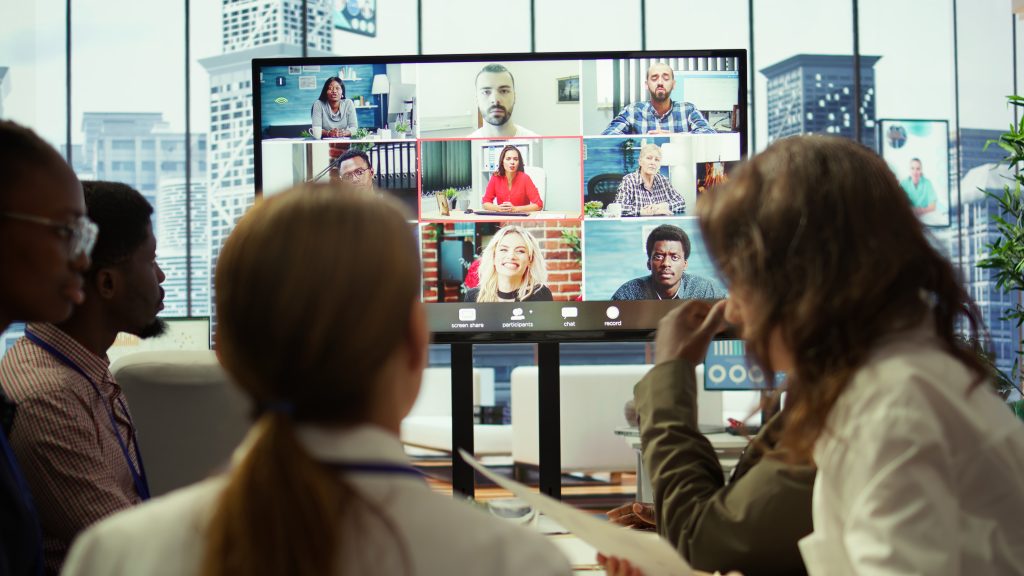
🎯 Why a Seamless Virtual Event Experience Matters
In a physical event, people tolerate minor hiccups like long check-in lines or slightly delayed sessions. In virtual events, however, attention spans are short and competition for attention is fierce. If your platform is buggy, the audio is poor, or the content feels disconnected, attendees will tune out — or log off entirely.
A seamless experience means:
- Smooth navigation and intuitive platforms
- Engaging content delivery
- Interactive, two-way communication
- Fast support and issue resolution
- Consistent branding and user experience
The result? Higher attendance, stronger engagement, better feedback, and improved ROI.
🧱 Core Components of a Seamless Virtual events
To create a smooth, polished virtual event, you need to nail several key components:
1. User-Friendly Platform
Choose a virtual event platform that’s reliable, mobile-friendly, and easy to navigate for both tech-savvy and non-technical attendees.
Features to look for:
- Browser-based access (no download required)
- Session navigation and reminders
- Chat, Q&A, polling, and networking functions
- Accessibility features (closed captions, screen reader support)
2. Engaging Content
The content is the heart of your event. Tailor it for digital consumption:
- Keep sessions short (20–30 minutes max)
- Use high-quality visuals and speakers
- Pre-record when possible to avoid tech issues
- Mix formats (live talks, panels, workshops, Q&As)
3. Flawless Tech Execution
Virtual events are only as good as their technology. Ensure:
- Stable video and audio streaming
- Redundant backups and live tech support
- Pre-event testing and rehearsals for speakers
4. Audience Engagement
Virtual fatigue is real. Keep energy high with:
- Polls, quizzes, and challenges
- Live chat and moderated Q&A
- Virtual networking lounges or breakout rooms
- Gamification and leaderboards
5. Personalization
Give attendees more control:
- Personalized agendas
- AI-based session recommendations
- Custom notifications
- Dynamic content based on interests or behavior
📅 Planning for a Seamless Attendee Journey
To ensure your virtual events feels seamless from beginning to end, think through every touchpoint in the attendee journey:
📍 1. Pre-Event Phase
Registration & Onboarding
- Use simple registration forms (integrate with CRM tools if possible)
- Automate confirmation and reminder emails
- Provide clear instructions for accessing the event platform
- Include a tutorial or walkthrough video
Promotions & Expectations
- Communicate the event agenda early
- Set expectations (live vs. on-demand, networking options, etc.)
- Offer an event app or calendar integrations
Tech Check & Accessibility
- Encourage attendees to test their tech (browser, internet speed, etc.)
- Offer accessibility info (captions, translation options)
🖥️ 2. During the virtual events
Check-In & Navigation
- Make joining sessions seamless (one-click access, auto-login if possible)
- Use an intuitive dashboard with personalized schedules
Support Availability
- Offer real-time chat or helpdesk during the event
- Have a clear, visible FAQ and troubleshooting guide
Live Moderation
- Have moderators for every session to handle chat, Q&A, and timekeeping
- Ensure smooth transitions between sessions and speakers
Interactive Elements
- Run live polls and surveys
- Virtual events Create breakout rooms for networking or small group discussions
- Incorporate social media feeds or live contests
Engagement Metrics
- Track session attendance, chat participation, click rates, and dwell time
- Use real-time analytics to respond to drop-offs or disengagement
📤 3. Post-Event Phase
On-Demand Content
- Make session recordings available quickly
- Organize them by topic or track for easier access
Follow-Up Emails
- Send personalized thank-you notes
- Share highlights, survey links, and next steps
- Offer special access, downloads, or discounts
Feedback Collection
- Use simple surveys with targeted questions
- Ask for NPS (Net Promoter Score)
- Include open-ended fields for suggestions
Data Analysis
- Segment attendees by behavior, demographics, or session interests
- Share insights with sponsors, exhibitors, or your internal teams
🔧 Top Tools for Seamless Virtual Events
Here are tools that can help streamline each part of the event experience:
| Category | Tools |
| Virtual Event Platforms | Zoom Events, Hopin, Airmeet, ON24, Whova, BigMarker |
| Registration & CRM | Eventbrite, Cvent, HubSpot, Splash |
| Engagement & Polling | Slido, Mentimeter, Kahoot!, Pigeonhole Live |
| Networking & Matchmaking | Brella, Remo, Icebreaker |
| Analytics & Feedback | Google Analytics, SurveyMonkey, Typeform, Bizzabo Insights |
Tip: Choose platforms that integrate with your existing tech stack.
🌍 Real-World Examples
🎤 Tech Conference Goes Fully Virtual
A major SaaS company moved its annual conference online using a custom-branded Hopin platform. They created interactive stages, hosted live AMAs (Ask Me Anything), and offered matchmaking lounges. Post-event NPS went up by 20% compared to the in-person event.
🏆 Non-Profit Summit with Gamification
A non-profit used Airmeet to create a virtual summit with badges, quizzes, and virtual “passport” stamps. Attendees earned points for visiting sponsor booths, networking, and participating in polls—boosting engagement by 60%.
🧠 Pro Tips for a Seamless Experience
- Rehearse Everything: Run full rehearsals with speakers, moderators, and tech staff.
- Have a Plan B: Keep backup internet, devices, and pre-recorded sessions ready.
- Keep it Human: Use hosts or emcees to create a natural flow and keep energy up.
- Create FOMO: Use social media teasers, influencer shout-outs, and behind-the-scenes content.
- Test Everything Early: From registration forms to live stream quality — test well in advance.
🚀 The Future of Virtual Events: Blended & Personalized
As hybrid becomes the norm, virtual events must blend seamlessly with in-person experiences. Expect more:
- AI-driven personalization
- AR/VR integrations for immersive experiences
- Real-time analytics dashboards for both organizers and sponsors
- Hybrid matchmaking for cross-format networking Instagram
The events that succeed will be those that treat virtual as a core experience—not an afterthought.
✅ Final Thoughts
Creating a seamless virtual event experience isn’t about flashy tech or overwhelming features. It’s about removing friction, enhancing connection, and delivering value at every step of the attendee journey.
When done right, virtual events can be just as impactful — if not more — than traditional ones.
Whether you’re planning your first virtual summit or looking to level up your online conferences, the key is clear: think attendee-first, design intentionally, and use technology to elevate—not complicate—the experience.
Need help picking the right virtual event platform or building a run-of-show? I can help you create a custom strategy based on your audience and goals. Just let me know!
Let me know if you want this turned into a checklist, presentation, or downloadable PDF for your team.
You may also like


Leave a Reply